
Frameo: Share to photo frames
FrameoPhotography
4.86.88K Reviews
- Version
- Varies With Device
- Installs
- 5.00M
- Age Rating
- Everyone
Screenshots
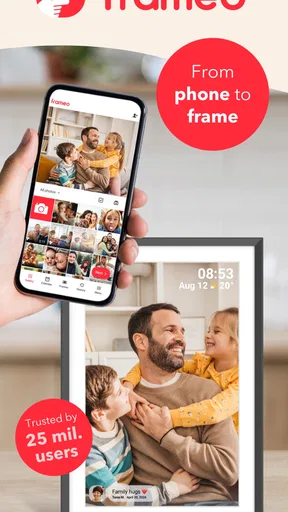
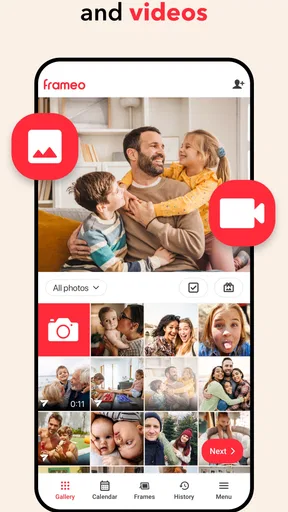
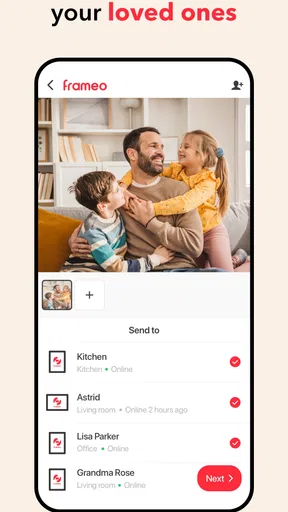
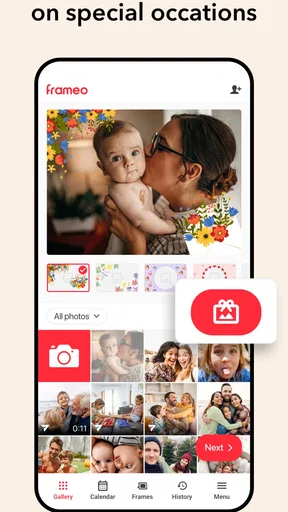
Our Review of Frameo: Share to photo frames
 Analysis by Appyee
I like the idea of a photo frame that changes because someone you care about sent it a new picture, rather than because you remembered to update a slideshow yourself. That is the simple appeal of Frameo: Share to photo frames: the app is a companion for sending pictures from a phone to a compatible WiFi frame. It is a focused photography tool, not a general-purpose social network, and that narrow purpose is both its strength and its main limitation.
Frameo is made by Frameo and is free to install, with optional in-app purchases priced from $1.99 to $19.99 per item. It is rated for Everyone, and its popularity is substantial: it has an average rating of 4.8 from around 99,000 ratings, with more than five million installs. Those figures suggest that many people find the basic idea useful, but I would still choose it based on whether a digital frame fits the way my household shares photos, not on popularity alone.
Sharing is simple, but trust deserves a closer look
I find the trust question especially relevant because a frame turns a one-to-one photo send into something people may see while passing through a room. In the next section, I look at the choices I would check on the phone and frame before making that display part of a family routine, rather than assuming convenience tells the whole story.
A practical fit for family routines
The most convincing use is sending a few everyday snapshots to a relative who enjoys seeing family life but does not want to manage a phone gallery or social account. For example, I can imagine taking a picture at a child’s weekend game, choosing it in the app, and sending it to a frame at a grandparent’s home. The recipient gets a changing display in a shared room, while the sender does not need to arrange a call just to pass along that small moment.
That makes the app especially appealing for families spread across different homes, or for anyone setting up a frame for a person who prefers a passive display to browsing photos on a screen. It is less useful if everyone already shares pictures in a group chat and nobody wants another device in the house. A frame also shifts the experience: photos become visible to people nearby, so I would think about which images suit a shared living space before sending them.
What the app can—and cannot—tell me about privacy
My confidence in a photo-sharing tool should come from clear, checkable choices, not from reassuring language. The published description presents Frameo as a way to send phone photos to a WiFi frame, but that alone does not tell me how images are handled behind the scenes. I would avoid assuming that a particular encryption method, storage period, or permission model applies unless I can verify it in the app’s current privacy information and on-device prompts.
In practice, I would treat each send as a deliberate choice. A photo that is fine in a private chat may feel different when it appears on a frame where visitors can see it. Before sharing sensitive pictures, I would check the recipient and the frame selected, and I would ask the frame’s owner who else can contribute. That small pause is useful because the convenience of sending a picture can make it easy to forget that the audience may be larger than one person.
Useful habits before sending
A good workflow is to decide who should contribute before the frame becomes a family destination. If several relatives are invited to send pictures, agree on what belongs there and who can help manage the frame. When a photo includes people outside the household, I would also consider whether they would be comfortable seeing it displayed in someone else’s home. These are not special app tricks; they are sensible boundaries for any shared photo display.
For a newly set-up frame, I would send a small test selection first. That lets the owner confirm that the images look right on the display and that the intended person is receiving them before the family starts sending a steady stream. If a picture is poorly framed or contains details better kept private, it is easier to catch that early than after it becomes part of a living-room slideshow.
Where it sits among photo-sharing options
Compared with a messaging app, Frameo is built around a persistent display rather than a conversation: the photo has a place in the home instead of being buried in a chat thread. Compared with cloud albums, the experience is more immediate and ambient, but it depends on having a compatible digital frame and a recipient who wants pictures displayed that way. If I need albums, detailed sorting, or a place to discuss a large collection, a dedicated photo library or group chat is likely a better fit.
The trade-off is worth considering before buying or setting up a frame. Frameo can make sharing feel personal and low-effort, but it does not replace every photo workflow. People who are careful about where images appear may prefer to send selectively, while someone looking for a private archive should use a service designed for organized storage rather than treating a display as a backup.
Easy Setup and User-Friendly Interface
First off, getting started with Frameo is a breeze. You download the app, connect it to your WiFi, and boom—you’re ready to roll. The interface is as intuitive as it gets. Trust me, even if you’re not the most tech-savvy person, you’ll find it super easy to use. The app guides you through each step, ensuring you’re not left scratching your head.
Share Moments Instantly
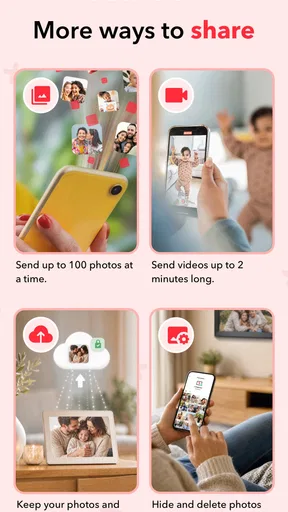
One of the coolest features is how effortlessly you can send photos directly to your frame. Imagine taking a snap at a family gathering and it instantly appears on your mom’s digital frame at her house. It's like magic! You can even add short messages to each photo. This little feature makes the experience more personal and heartfelt. It's like sending a postcard, but way cooler and faster.
Customization at Your Fingertips
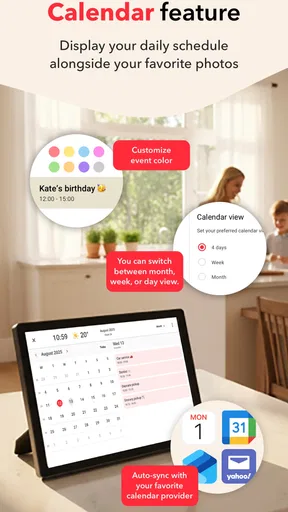
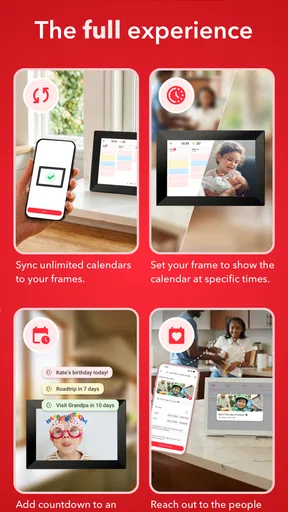
What’s a digital frame without a bit of personal touch, right? The app lets you customize slideshows, adjust the display speed, and choose different transition styles. You can also manage who gets to send photos to your frame, which is a neat way to keep everything under control. Got multiple frames? No worries, you can manage them all from the same app!
Keeping It Secure
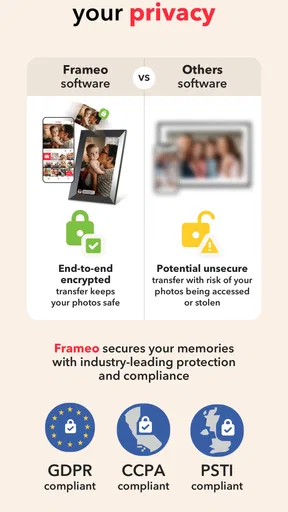
Privacy is a big deal, and the folks behind Frameo get it. Everything is encrypted, meaning your photos are safe and sound. You can rest easy knowing your cherished moments aren’t floating around in cyberspace waiting to be snatched up by some digital pirate.
Some Final Thoughts
All in all, Frameo: Share to photo frames is a delightful app that brings people closer, even when miles apart. It’s perfect for families who live far away from each other or anyone who simply loves sharing their life in pictures. The ease of use, coupled with its personalization options, makes it stand out in a sea of photo-sharing apps.
So, if you’re looking to add a sprinkle of joy to someone’s life—or your own—give Frameo a shot. You won’t regret it!
Privacy and Permissions
See what permissions an app requests and how it handles your data.
- Photos/Media/Files
- read the contents of your USB storage, modify or delete the contents of your USB storage
- Storage
- read the contents of your USB storage, modify or delete the contents of your USB storage
- Camera
- take pictures and videos
- Wi-Fi connection information
- view Wi-Fi connections
- Other
- view network connections, allow Wi-Fi Multicast reception, full network access, run at startup, control vibration, prevent device from sleeping
Verdict
Strengths of Frameo: Share to photo frames
- Easy photo sharing with multiple frames.
- User-friendly interface with intuitive design.
- Supports various media formats, including video.
- Allows personalized captions and messages.
- Real-time updates and seamless syncing.
Limitations of Frameo: Share to photo frames
- Limited cloud storage options available.
- Requires Wi-Fi for optimal performance.
- Subscription needed for premium features.
- Frame compatibility can be an issue.
- App notifications can be overwhelming.
Similar Picks in This Category
View All
Google Photos
Google LLC4.4

Gallery
Google LLC4.2

Picsart AI Photo Editor, Video
PicsArt, Inc.3.9

B612 AI Photo&Video Editor
SNOW Corporation4.1

BeautyPlus-Selfie Photo Editor
PIXOCIAL TECHNOLOGY (SINGAPORE) PTE. LTD.4.5

Remini - AI Photo Enhancer
Bending Spoons4.1
Frequently Asked Questions
What is Frameo and how does it work?
Frameo is a photo-sharing app designed to effortlessly send photos and videos to digital photo frames. Users can connect their devices to compatible frames via a unique code, enabling seamless sharing of cherished moments. The app allows for easy management of multiple frames, making it ideal for staying connected with family and friends.
Is Frameo free to use, or are there any in-app purchases?
Frameo is free to download and use, providing its core features at no cost. However, the app may offer optional in-app purchases or premium features that enhance the user experience. It's advisable to check the app store for any additional costs before downloading, ensuring it fits your budget and needs.
What devices are compatible with Frameo?
Frameo is compatible with both Android and iOS devices, allowing a wide range of users to take advantage of its features. Additionally, it works with specific digital photo frames that support Frameo's technology. Users should verify frame compatibility to ensure smooth operation and full functionality of the app.
How secure is my data when using Frameo?
Frameo prioritizes user privacy and security, employing encryption to protect data during transmission. The app does not store photos or videos on its servers, ensuring your media remains private. Users are encouraged to review the app’s privacy policy to fully understand data handling practices and security measures.
Can I send photos to multiple frames simultaneously using Frameo?
Yes, Frameo allows users to send photos and videos to multiple frames at once. By managing connections within the app, you can easily add or remove frames as needed, making it simple to share content with different family members or friends across various locations. This feature enhances the app's versatility and convenience.
